docusaurus
GitHub 工作流配置
部署脚本
另外:你需要安装 yarn 并在文档项目中运行 yarn install
name: Deploy taco shop

on:
  push:
    branches:
      - main
    # Review gh actions docs if you want to further define triggers, paths, etc
    # https://docs.github.com/en/actions/using-workflows/workflow-syntax-for-github-actions#on

jobs:
  deploy:
    name: Deploy Chef Claude
    runs-on: ubuntu-latest
    steps:
      - uses: actions/checkout@v3
      - uses: pnpm/action-setup@v2
        with:
          version: 8
      - uses: actions/setup-node@v3
        with:
          node-version: 22.19.0
          cache: "pnpm"
      - name: Install dependencies
        run: |
          echo ${{ github.workspace }}  # 输出工作区上下文路径,就是工程路径
          pnpm install --frozen-lockfile
      - name: Build Chef Claude
        run: |
          pnpm build

      # Popular action to deploy to GitHub Pages:
      # Docs: https://github.com/peaceiris/actions-gh-pages#%EF%B8%8F-docusaurus
      - name: Deploy to GitHub Pages
        uses: peaceiris/actions-gh-pages@v3
        with:
          github_token: ${{ secrets.SECRET_TOKEN }}
          # Build output to publish to the `gh-pages` branch:
          publish_dir: ./dist # 文档打包产物的目录名就是build
          user_name: "github-actions[bot]"
          user_email: "github-actions[bot]@users.noreply.github.com"
          commit_message: ${{ github.event.head_commit.message }}
配置密钥
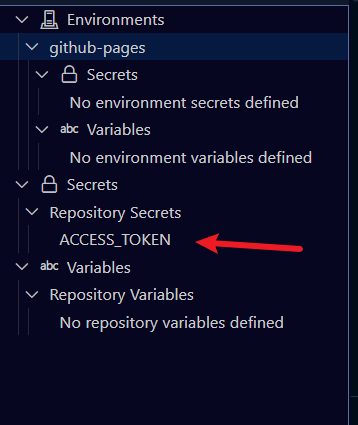
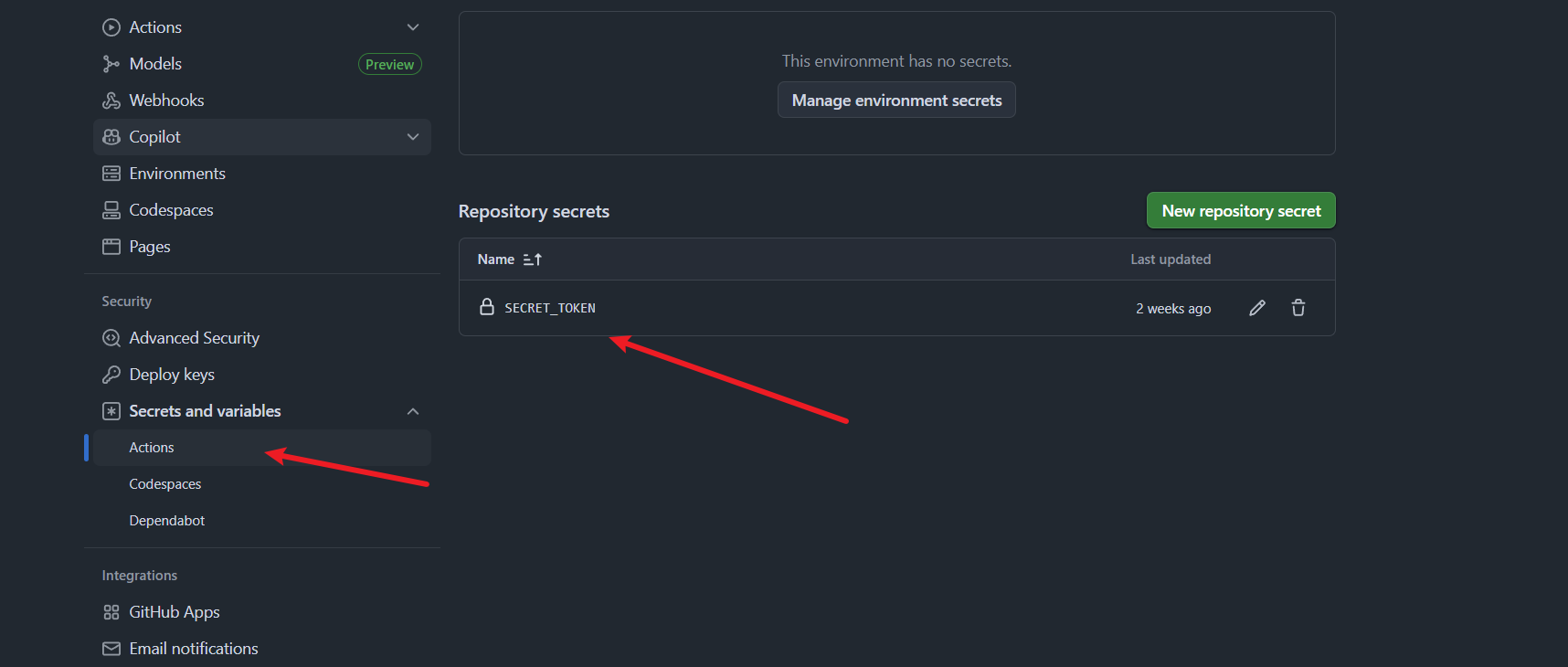
新版页面最小化权限配置TOKEN
| 分类 | 权限项 | 访问级别 |
|---|---|---|
| 🧱 Contents | Read and write | ✅ 必需:允许 Action 推送 gh-pages 分支 |
| ⚙️ Actions | Read and write | ✅ 可选:如果你的 Workflow 需要触发其他 Actions(例如 re-run workflows) |
部署错误 css net::ERR_ABORTED 404 (Not Found)
如果不需要在中国大陆访问,可以先使用 Vercel 部署。
import { defineConfig } from "vite";
import react from "@vitejs/plugin-react-swc";

// https://vite.dev/config/
export default defineConfig({
  plugins: [react()],
  {/* base: "/tenzies/", // 不要这么写 */}
  base: "./"
});
DocSearch v2 在我的网站上无法工作
背景
我的 Docusaurus(版本 3.1.0)博客部署在 GitHub Pages 上,在我将域名从
https://halcyon666.github.io/summary/ 更改为 https://halcyon666.top 之前,DocSearch v2 在我的网站上可以正常工作。当我为新域名重新申请
DocSearch 时,我按照之前的方法操作,但搜索无法正常工作。
URL 被忽略
首先我检查了爬虫管理后台 https://crawler.algolia.com/,发现很多网站 URL 被忽略,因为新应用中存在很多 302 重定向。
我尝试在预览搜索中搜索,除了首页信息外,没有关于我的 Markdown 博客的结果。
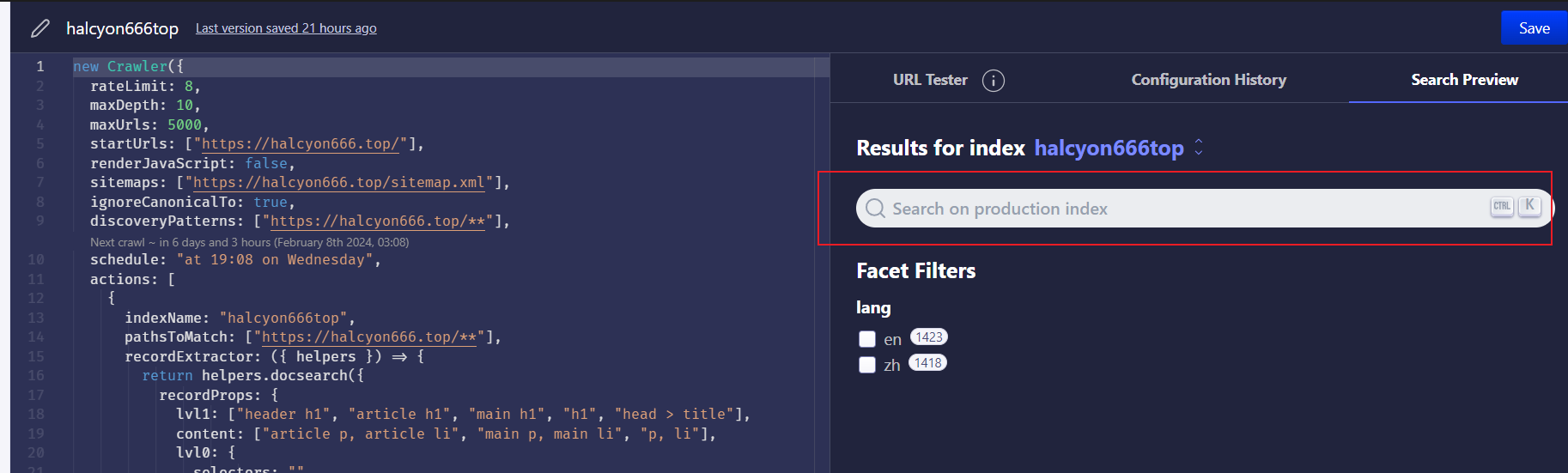
你可以在上面看到我的正确配置,下面是错误的配置,在这种情况下解决了爬虫忽略问题。
new Crawler({
  sitemaps: [],
  ignoreCanonicalTo: false,
});
这次我可以在搜索预览中搜索,但在我的网站上不行。
无效的 Application-ID 或 API 密钥
解决无效的 Application-ID 或 API 密钥问题,我查看了有帮助的链接,发现我的 API 密钥是错误的,由 DocSearch 回复邮件给出,所以当你遇到此错误时,你需要在你的仪表板中检查你的 API 密钥。
误解 facetFilters
在预览搜索中有结果,但在我的网站上没有。
我从预览搜索和我的网站获取了两个 payload,我比较了这些参数,发现与我的参数有些不同。所以我查看了 docusaurus 文档,并通过更改配置修复了此问题。
这是请求 URL 末尾的错误 payload 参数。
facetFilters=["language:zh",["docusaurus_tag:default","docusaurus_tag:docs-default-current"]]我的错误配置是
你需要将 contextualSearch 设置为 false(提示:此配置在 docusaurus.config.ts 或 docusaurus.config.js 中),并将你的语言过滤器写在括号中。你可以看到我下面的修复示例。
contextualSearch: false,
searchParameters: {
  // maybe yours is en
	facetFilters: ["zh"],
},
React Live 在 Docusaurus中使用时失效的问题
成功和失效时效果对比
失效场景图
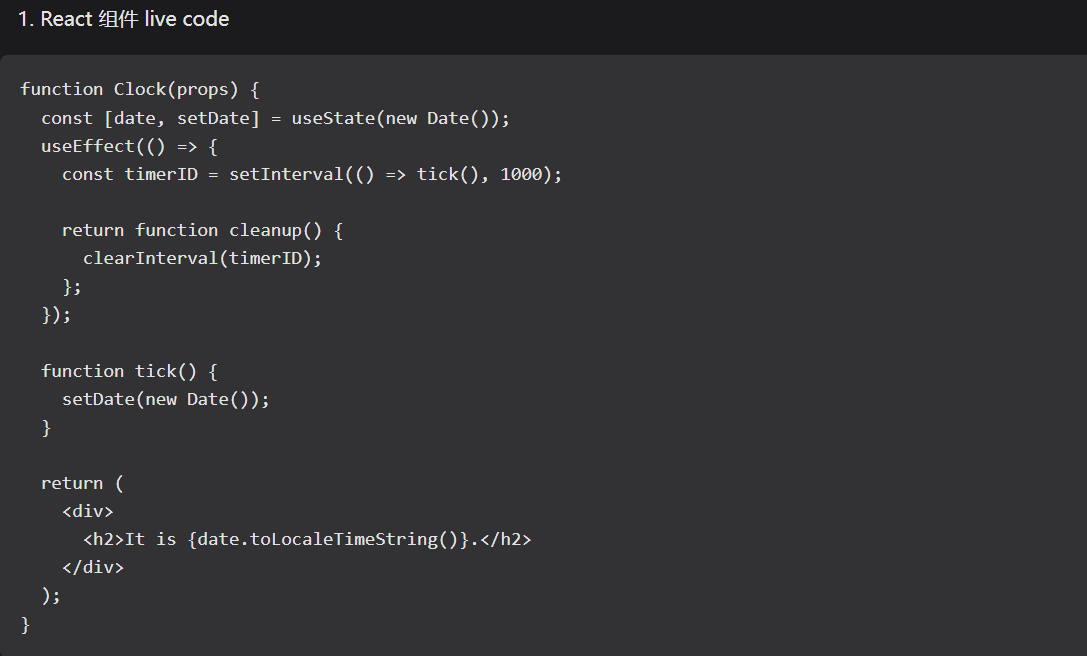
正常场景图
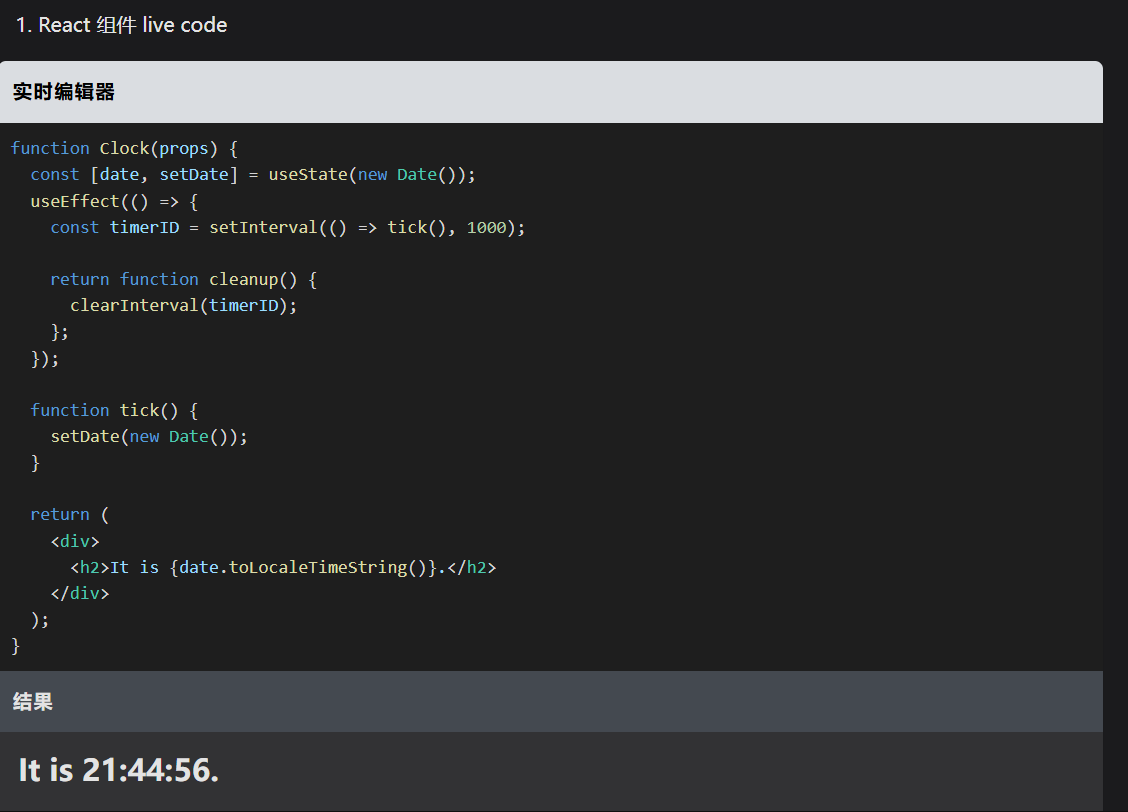
造成失效提交Commit记录
修复方案
单独导入组件,不使用全局导入。
修复commit记录
rspack 缓存崩溃
> [email protected] start D:\summary
> docusaurus start --host 0.0.0.0 --no-open

[INFO] Starting the development server...
[SUCCESS] Docusaurus website is running at: http://localhost:3000/summary/
● Client ██████████████████████████████████████████████████ (9%) setup compilation
Panic occurred at runtime. Please file an issue on GitHub with the backtrace below: https://github.com/web-infra-dev/rspack/issues: panicked at crates\rspack_core\src\cache\persistent\occasion\make\module_graph.rs:188:8:
should mgm exist
 ELIFECYCLE  Command failed with exit code 3221226505.
在 项目根目录 D:\summary 执行:
rmdir /s /q .docusaurus
rmdir /s /q node_modules\.cache
rmdir /s /q node_modules\.pnpm
del /f /q pnpm-lock.yaml


然后重新安装:

pnpm install
pnpm start
- 署名:在原有代码和衍生代码中,保留原作者署名及代码来源信息。
- 保留许可证:在原有代码和衍生代码中,保留Apache 2.0协议文件。
- 署名:应在使用本文档的全部或部分内容时候,注明原作者及来源信息。
- 非商业性使用:不得用于商业出版或其他任何带有商业性质的行为。如需商业使用,请联系作者。
- 相同方式共享的条件:在本文档基础上演绎、修改的作品,应当继续以知识共享署名 4.0国际许可协议进行许可。