Docusaurus
GitHub Workflow Configuration
Deployment Script
Note: You need to install yarn and run yarn install in the documentation project.
name: Deploy taco shop

on:
  push:
    branches:
      - main
    # Review gh actions docs if you want to further define triggers, paths, etc
    # https://docs.github.com/en/actions/using-workflows/workflow-syntax-for-github-actions#on

jobs:
  deploy:
    name: Deploy Chef Claude
    runs-on: ubuntu-latest
    steps:
      - uses: actions/checkout@v3
      - uses: pnpm/action-setup@v2
        with:
          version: 8
      - uses: actions/setup-node@v3
        with:
          node-version: 22.19.0
          cache: "pnpm"
      - name: Install dependencies
        run: |
          echo ${{ github.workspace }}  # Output workspace context path, which is the project path
          pnpm install --frozen-lockfile
      - name: Build Chef Claude
        run: |
          pnpm build

      # Popular action to deploy to GitHub Pages:
      # Docs: https://github.com/peaceiris/actions-gh-pages#%EF%B8%8F-docusaurus
      - name: Deploy to GitHub Pages
        uses: peaceiris/actions-gh-pages@v3
        with:
          github_token: ${{ secrets.SECRET_TOKEN }}
          # Build output to publish to the `gh-pages` branch:
          publish_dir: ./dist # The document build output directory is build (or dist as configured)
          user_name: "github-actions[bot]"
          user_email: "github-actions[bot]@users.noreply.github.com"
          commit_message: ${{ github.event.head_commit.message }}
Configure Secrets
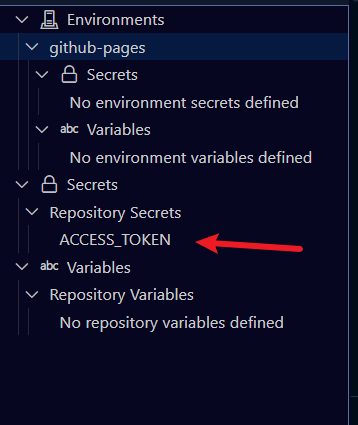
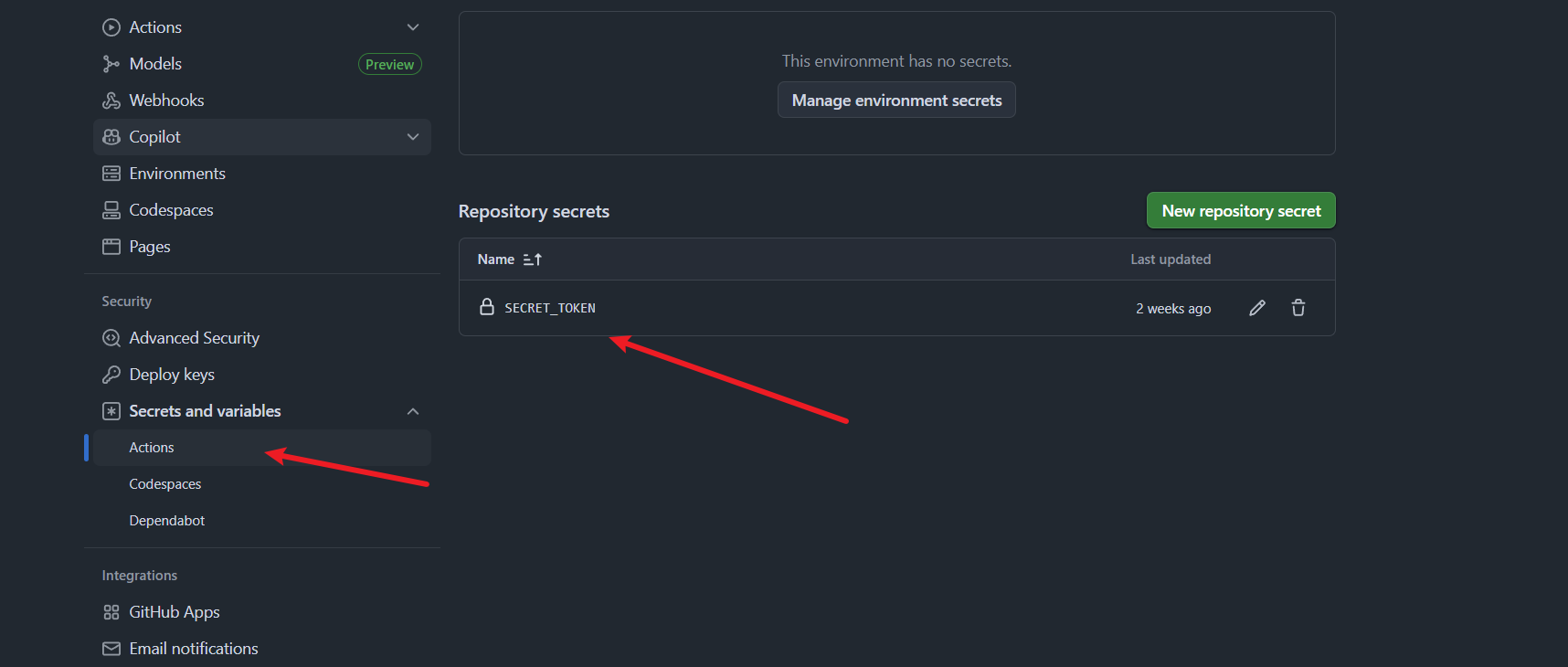
New version page minimized permission configuration TOKEN
| Category | Permission | Access Level |
|---|---|---|
| 🧱 Contents | Read and write | ✅ Required: Allow Action to push to gh-pages branch |
| ⚙️ Actions | Read and write | ✅ Optional: If your Workflow needs to trigger other Actions (e.g., re-run workflows) |
Deployment Error css net::ERR_ABORTED 404 (Not Found)
If you don't need access in Mainland China, you can use Vercel implementation first.
import { defineConfig } from "vite";
import react from "@vitejs/plugin-react-swc";

// https://vite.dev/config/
export default defineConfig({
  plugins: [react()],
  {/* base: "/tenzies/", // Don't write like this */}
  base: "./"
});
DocSearch v2 Not Working on My Site
Background
My Docusaurus (version 3.1.0) blog is deployed on GitHub Pages. Before I changed the domain from https://halcyon666.github.io/summary/ to https://halcyon666.top, DocSearch v2 worked fine on my site. When I reapplied for DocSearch for the new domain, I followed the previous method, but the search didn't work.
URL Ignored
First, I checked the crawler management dashboard https://crawler.algolia.com/ and found that many website URLs were ignored because there were many 302 redirects in the new application.
I tried searching in the preview search, and except for the homepage information, there were no results about my Markdown blog.
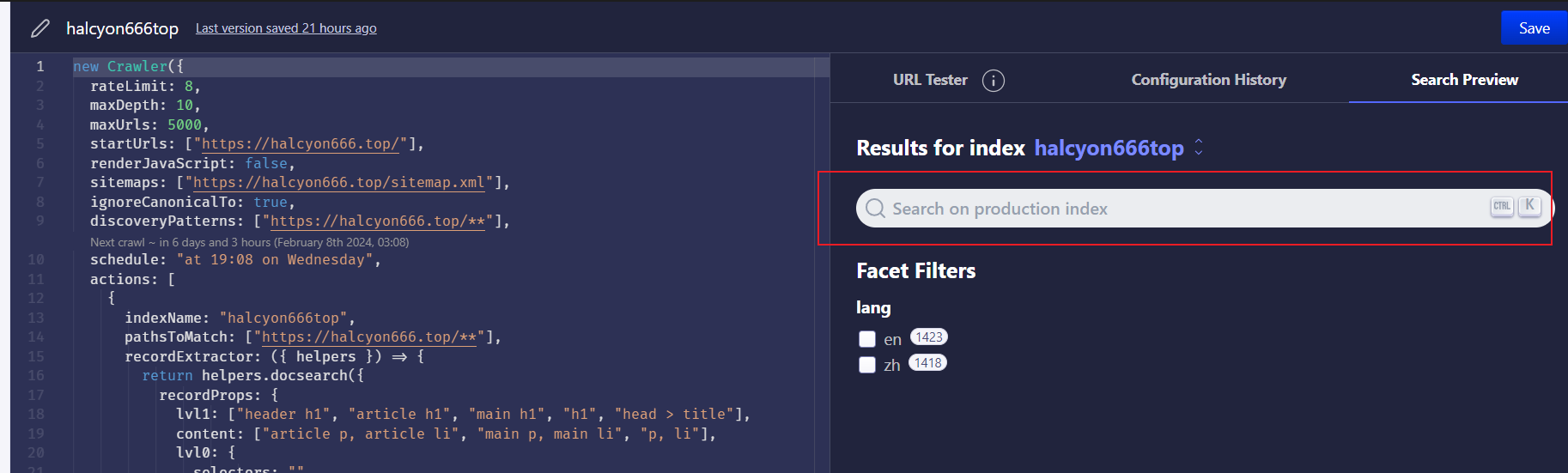
You can see my correct configuration above, and below is the wrong configuration, which solved the crawler ignore problem in this case.
new Crawler({
  sitemaps: [],
  ignoreCanonicalTo: false,
});
This time I could search in the search preview, but not on my website.
Invalid Application-ID or API Key
To solve the invalid Application-ID or API key problem, I looked at a helpful link and found that my API key was wrong, given by the DocSearch reply email. So when you encounter this error, you need to check your API key in your dashboard.
Misunderstanding facetFilters
There were results in the preview search, but not on my website.
I got two payloads from the preview search and my website, compared these parameters, and found some differences from my parameters. So I checked the docusaurus documentation and fixed this issue by changing the configuration.
This is the wrong payload parameter at the end of the request URL.
facetFilters=["language:zh",["docusaurus_tag:default","docusaurus_tag:docs-default-current"]]My wrong configuration was:
You need to set contextualSearch to false (Tip: This configuration is in docusaurus.config.ts or docusaurus.config.js), and write your language filter in brackets. You can see my fix example below.
contextualSearch: false,
searchParameters: {
  // maybe yours is en
	facetFilters: ["zh"],
},
React Live Failure in Docusaurus
Comparison of Success and Failure
Failure Scenario
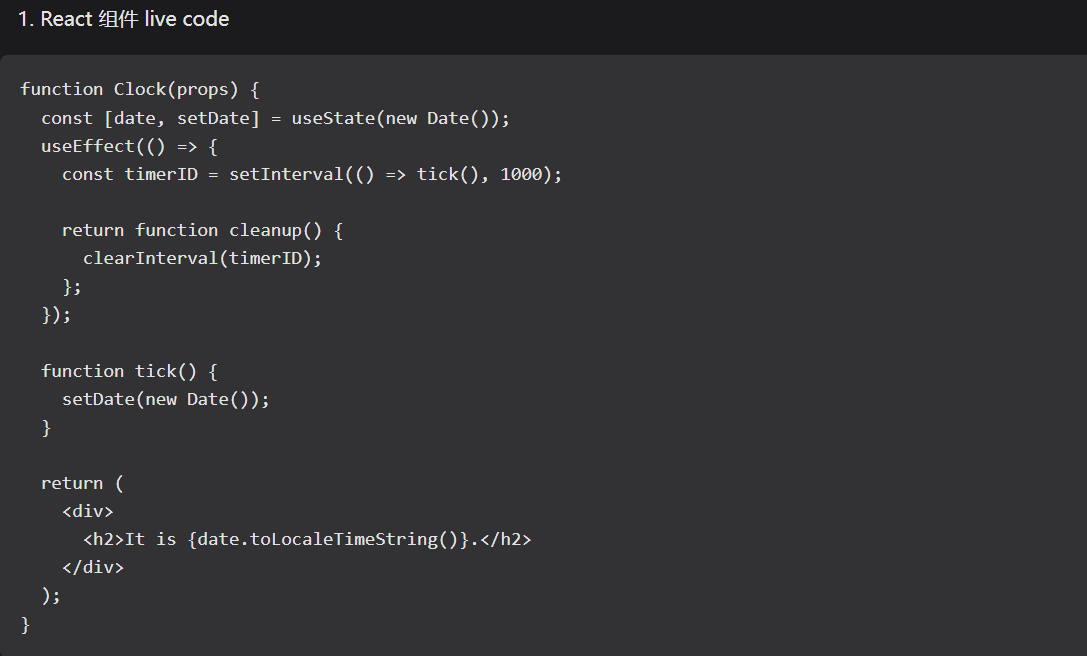
Normal Scenario
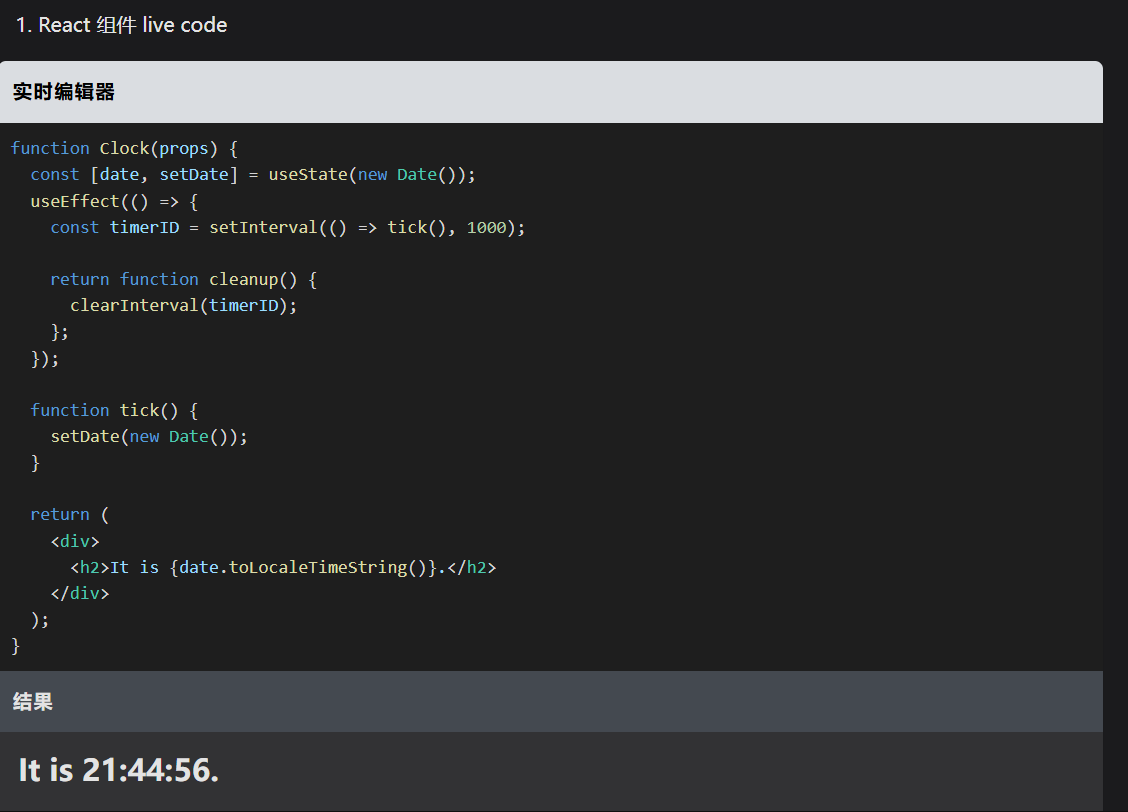
Commit Record Causing Failure
Fix Solution
Import components individually, do not use global imports.
Fix commit record
rspack Cache Crash
> [email protected] start D:\summary
> docusaurus start --host 0.0.0.0 --no-open

[INFO] Starting the development server...
[SUCCESS] Docusaurus website is running at: http://localhost:3000/summary/
● Client ██████████████████████████████████████████████████ (9%) setup compilation
Panic occurred at runtime. Please file an issue on GitHub with the backtrace below: https://github.com/web-infra-dev/rspack/issues: panicked at crates\rspack_core\src\cache\persistent\occasion\make\module_graph.rs:188:8:
should mgm exist
 ELIFECYCLE  Command failed with exit code 3221226505.
Execute in project root directory D:\summary:
rmdir /s /q .docusaurus
rmdir /s /q node_modules\.cache
rmdir /s /q node_modules\.pnpm
del /f /q pnpm-lock.yaml


Then reinstall:

pnpm install
pnpm start
- Attribution: Retain the original author's signature and code source information in the original and derivative code.
- Preserve License: Retain the Apache 2.0 license file in the original and derivative code.
- Attribution: Give appropriate credit, provide a link to the license, and indicate if changes were made.
- NonCommercial: You may not use the material for commercial purposes. For commercial use, please contact the author.
- ShareAlike: If you remix, transform, or build upon the material, you must distribute your contributions under the same license as the original.