Firebase
Here is a step-by-step guide to configuring a Firebase project, including images and instructions.
1. Set clientId and Secrets
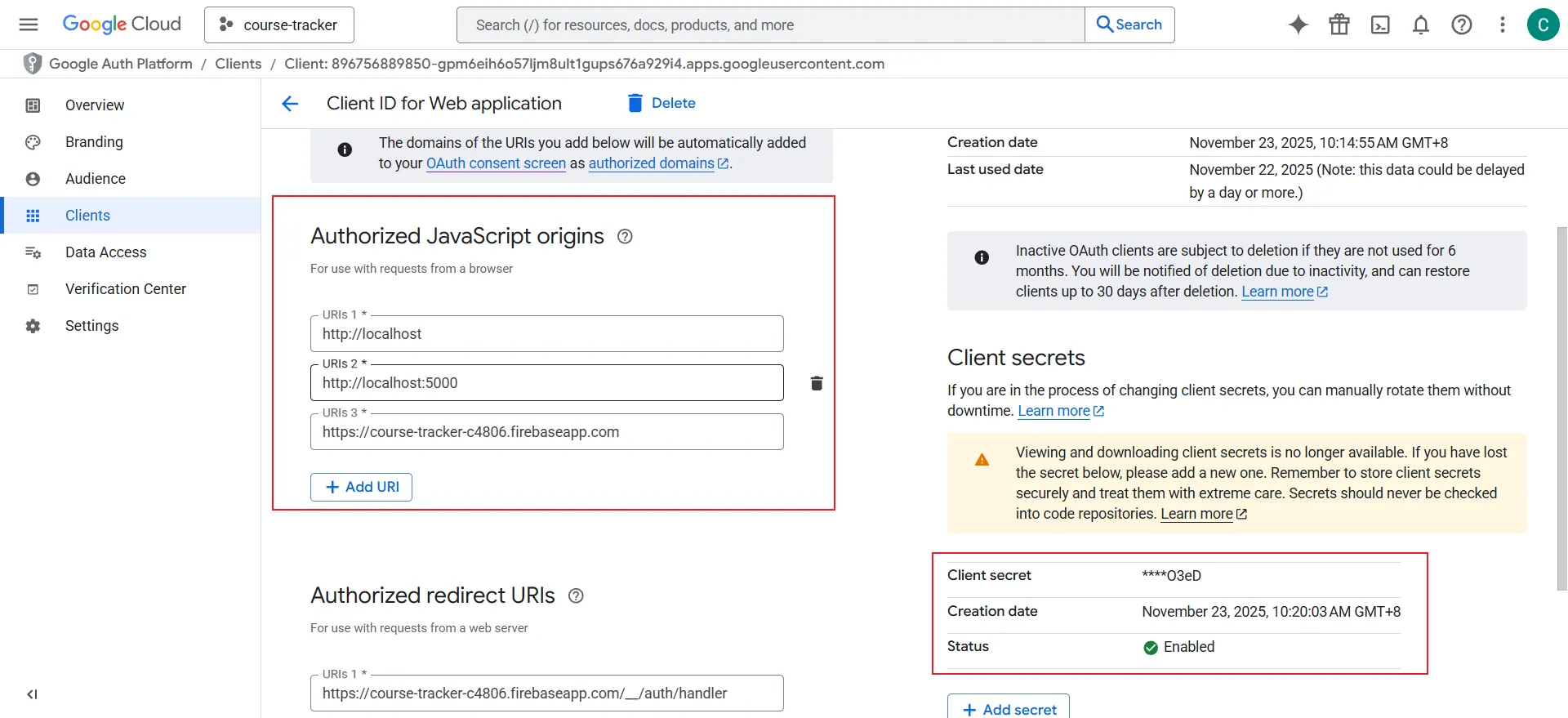
The first step is to find the project's configuration details, including clientId and API keys. These are essential for connecting the app to Firebase services. You can find them in the project settings in the Firebase console.
In Firebase Project Settings, you can find the Web API Key. In the "Your apps" section, you will see the clientId for each added app.
Visit this link:
2. Enable Google Sign-In
To allow users to sign in to your app using their Google accounts, you need to enable the Google Sign-In provider in Firebase Authentication settings.
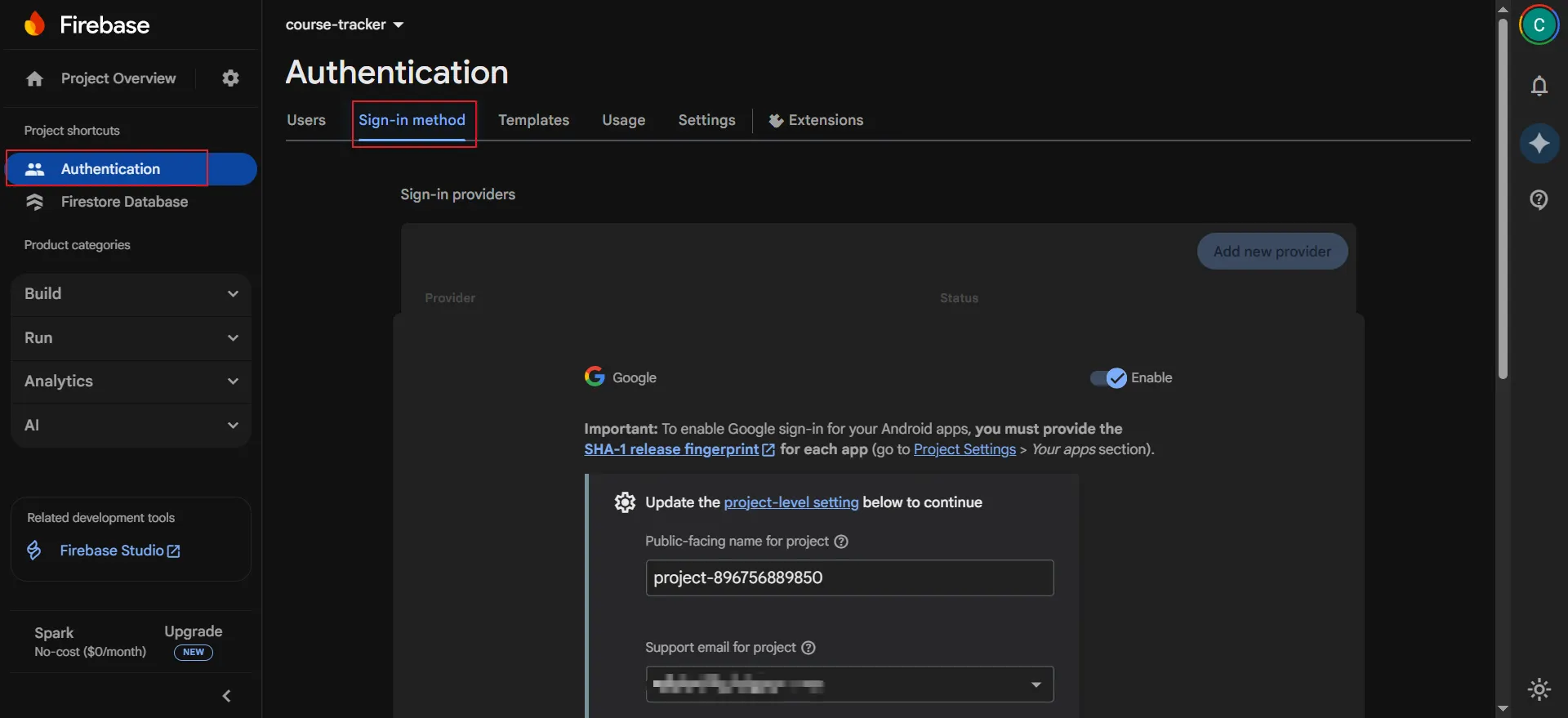
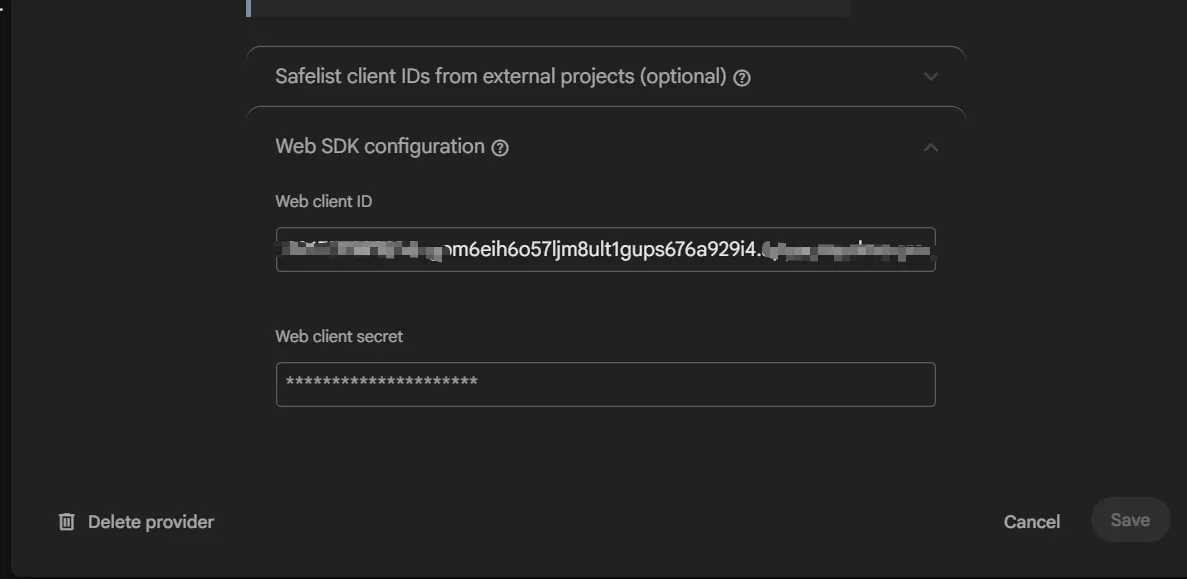
You also need the Web Client ID and Web Client Secret, which you can get from step 1.
3. Add Sign-in Domain
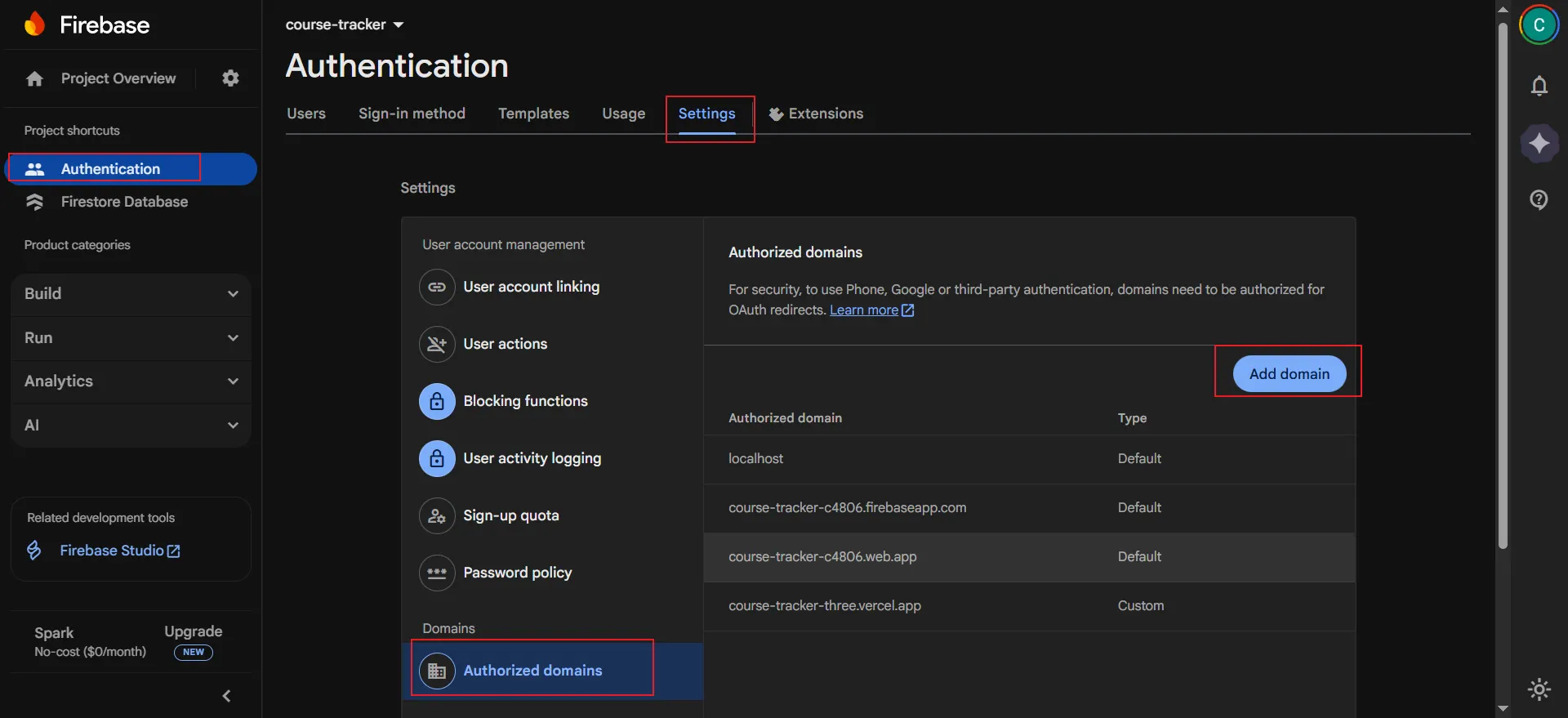
For security reasons, Firebase only allows sign-ins from domains you explicitly authorize. You need to add the domain where your app is hosted to the authorized domains list.
Still in the "Sign-in method" tab of the Authentication section, scroll down to "Authorized domains", click "Add domain" and enter your app domain.
4. Set JDK Admin
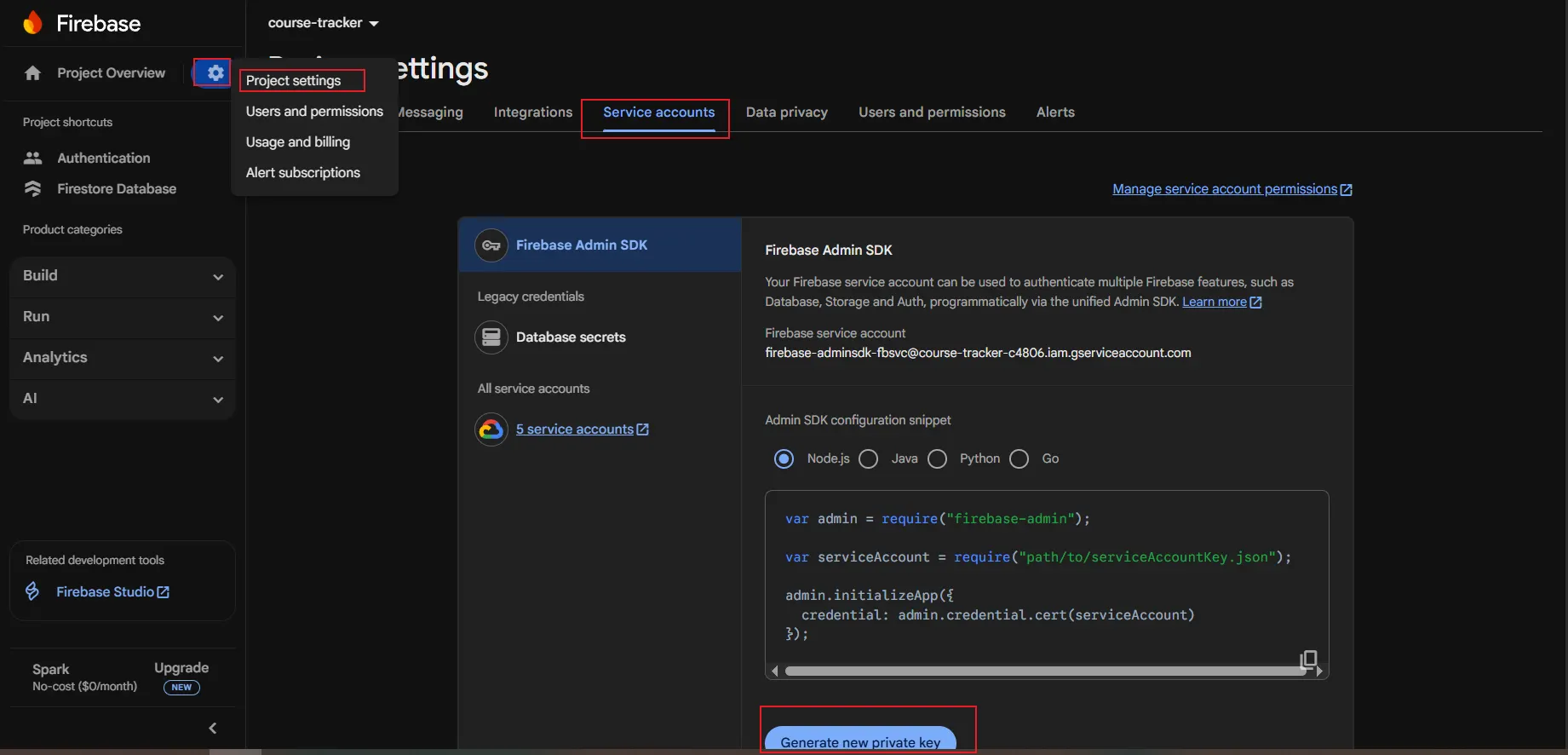
To perform administrative tasks from a privileged environment (such as a server), you need to use the Firebase Admin SDK. This requires a service account with the necessary permissions. You can generate a private key for this service account in the project settings.
Return to "Project settings", select the "Service accounts" tab, and then click "Generate new private key". This will download a JSON file containing the service account credentials, which you can use to initialize the Admin SDK in server-side code (such as Java, Node.js, Python).
- Configuration Rules
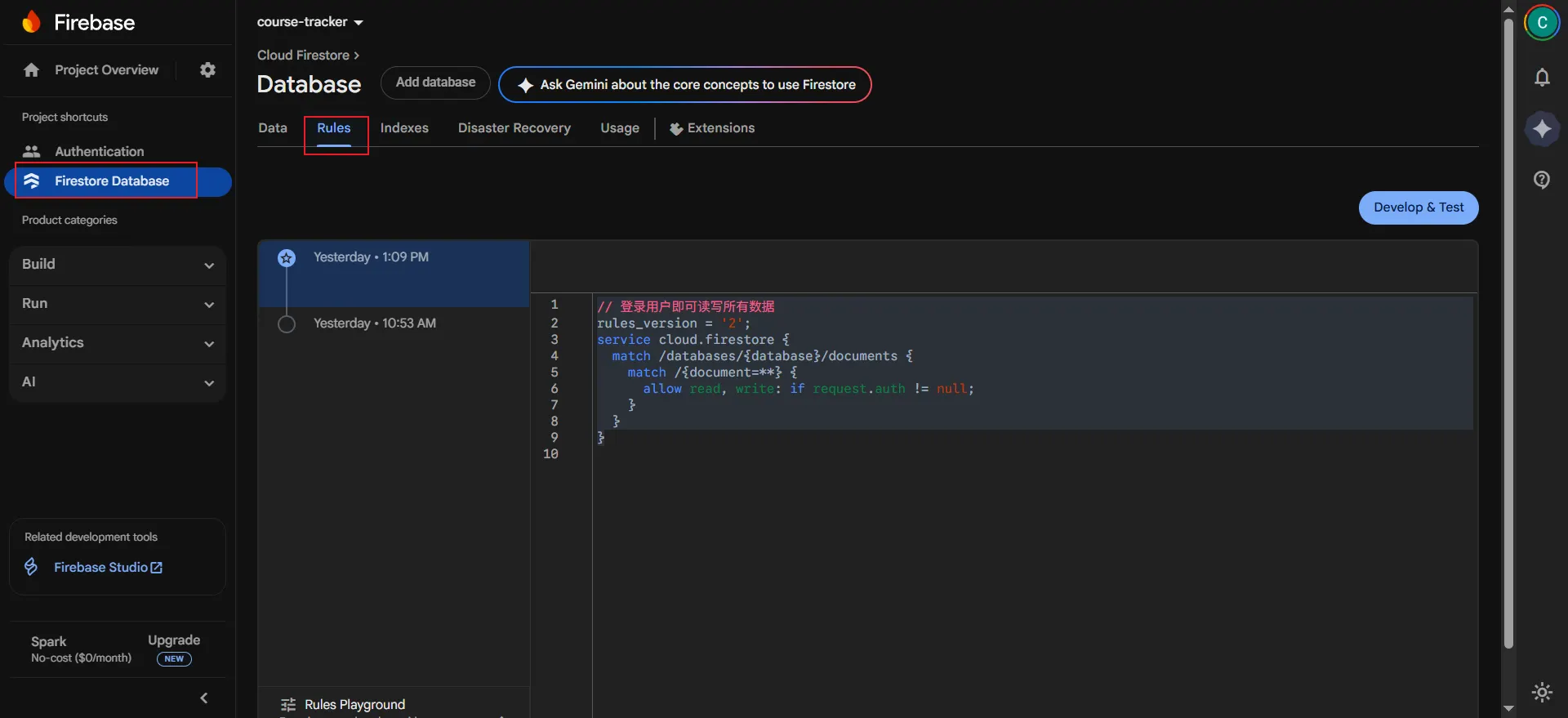
// Logged-in users can read and write all data
rules_version = '2';
service cloud.firestore {
  match /databases/{database}/documents {
    match /{document=**} {
      allow read, write: if request.auth != null;
    }
  }
}
- Attribution: Retain the original author's signature and code source information in the original and derivative code.
- Preserve License: Retain the Apache 2.0 license file in the original and derivative code.
- Attribution: Give appropriate credit, provide a link to the license, and indicate if changes were made.
- NonCommercial: You may not use the material for commercial purposes. For commercial use, please contact the author.
- ShareAlike: If you remix, transform, or build upon the material, you must distribute your contributions under the same license as the original.