Common Software Tips
Chrome Cannot Open Settings
Set the exe program to run in compatibility mode.
Tool to View HEIC Images
PicGo Image Upload Issue
When using PicGo(app) or PicList, if you encounter error "message": "getaddrinfo ENOTFOUND smms",
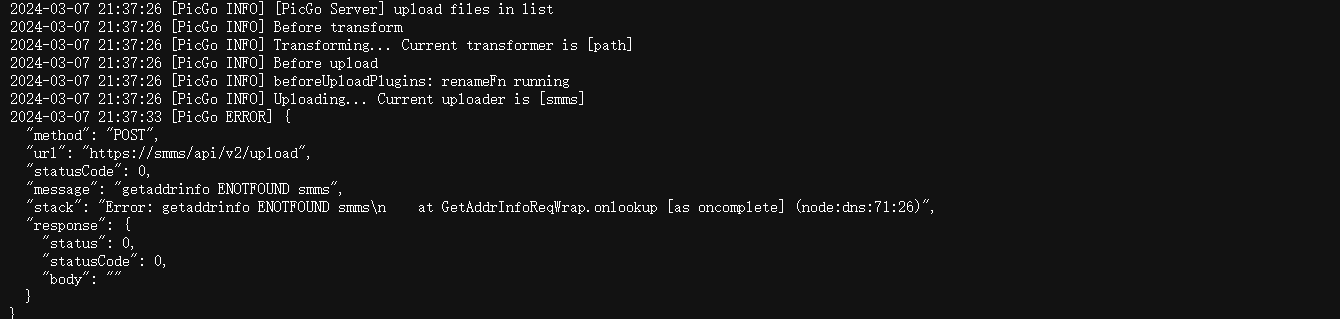
Just switch to PicGo-Core(command line), and modify ~/.picgo/config.json file:
{
  "picBed": {
    "uploader": "smms",
    "current": "smms",
	"smms": {
      "token": "put your token here"
    }
  },
  "picgoPlugins": {}
}
PicGo Plugin Usage
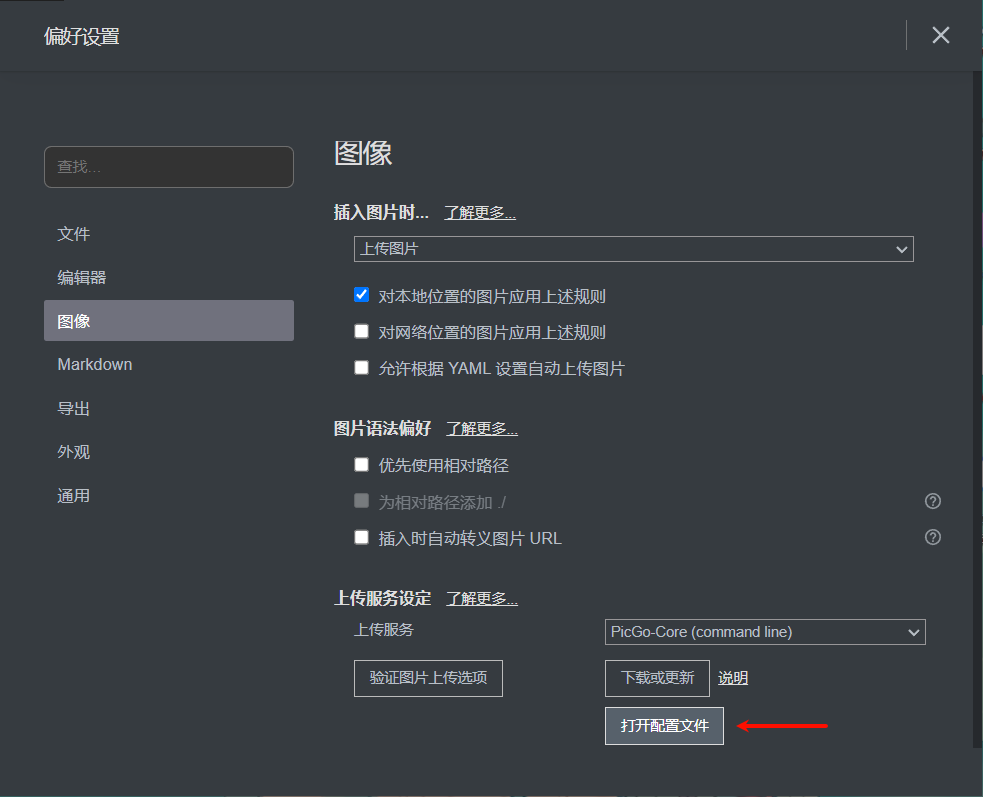
Use PicGo-Core installed in Typora
- Install PicGo extension in VS Code.
- Set PicGo Config Path in VS Code:
%USERPROFILE%\.picgo\config.json.
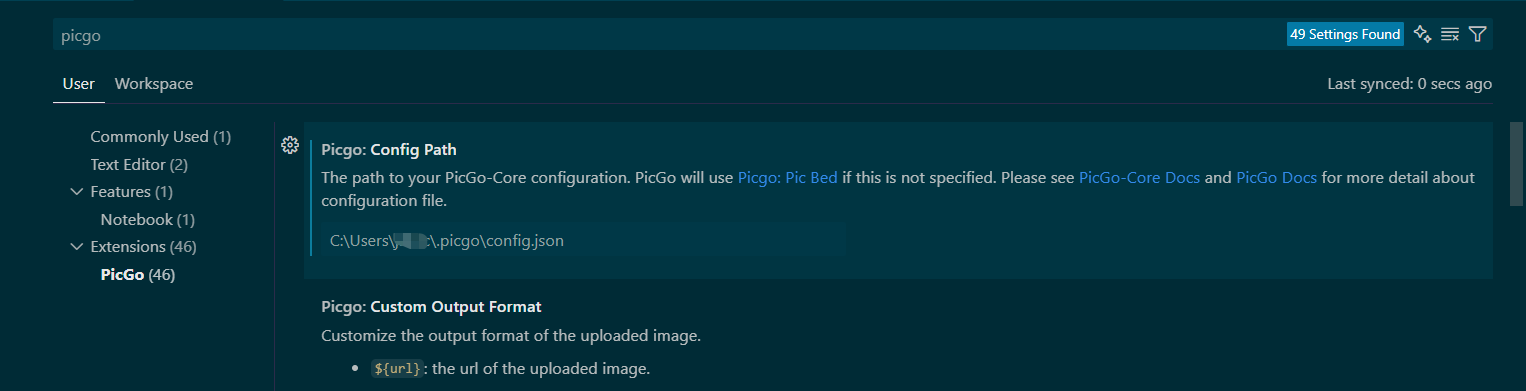
If you can't find it, you can look for it inside PicGo.
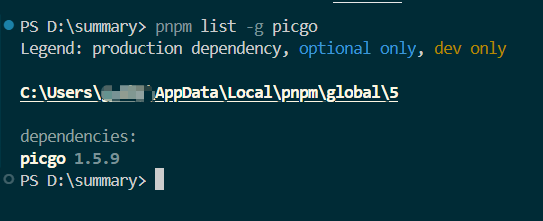
Use picgo installed via npm
# View pnpm global install path
pnpm root -g

# Find picgo location
pnpm list -g picgo
- Install PicGo extension in VS Code.
- Set PicGo Config Path in VS Code to
C:\Users\xxx\AppData\Local\pnpm\global\5\node_modules\picgo\config.json.
U30Air SMB Sharing Issue
Solution (Enable insecure guest logons), via Local Group Policy (Suitable for Win10 Pro/Enterprise).
-
Win + R→ Entergpedit.msc→ Enter. -
Path:
Computer Configuration → Administrative Templates → Network → Lanman Workstation -
Find policy:
Enable insecure guest logons
-
Double click → Select Enabled → OK.
-
Run
gpupdate /forceto refresh policy.
Win10 File Copy or Delete Issue
Issue: Time remaining: Calculating...
Solution: Execute in CMD Administrator mode, then restart computer.
sfc /scannow
Result after execution: Windows Resource Protection found corrupt files and successfully repaired them.
For online repairs, details are included in the CBS log file located at windir\Logs\CBS\CBS.log.
For example C:\Windows\Logs\CBS\CBS.log. For offline repairs, details are included in the log file provided by the /OFFLOGFILE flag.

If still ineffective, use WiseForce Deleter to delete the folder.
Win10 Disable Updates
gpedit.msc
In the "Local Group Policy Editor" window's left panel, navigate to: "Computer Configuration" > "Administrative Templates" > "Windows Components" > "Windows Update". Change "Remove access to use all Windows Update features" to Enabled. Change "Configure Automatic Updates" to Disabled.
How to Enable Updates
Change "Remove access to use all Windows Update features" to Disabled.
Change "Configure Automatic Updates" to Enabled.
PodCast Cannot Play / Cannot Play This Episode on This Device
# Podcast 2025-10-22 22:51:33
DOMAIN-SUFFIX,bbci.co.uk,PROXY
DOMAIN-SUFFIX,bbc.co.uk,PROXY
DOMAIN-SUFFIX,bbc.com,PROXY
DOMAIN-SUFFIX,cdn.himalaya.com,PROXY
DOMAIN-SUFFIX,api.himalaya.com,PROXY
DOMAIN-SUFFIX,sphinx.acast.com,PROXY
DOMAIN-SUFFIX,akamaized.net,PROXY
DOMAIN-SUFFIX,llnwd.net,PROXY
DOMAIN-SUFFIX,bbcmedia.co.uk,PROXY
DOMAIN-SUFFIX,podcasts.apple.com,PROXY
DOMAIN-SUFFIX,amp-api.podcasts.apple.com,PROXY
DOMAIN-SUFFIX,podcasts.apple.com,PROXY
Configuration File Repository Shadowrocket-Rules
Use URL https://raw.githubusercontent.com/halcyon666/shadowrocket-rules/main/sr_top500_banlist_ad.conf
Clash Configuration File Location
Method 1
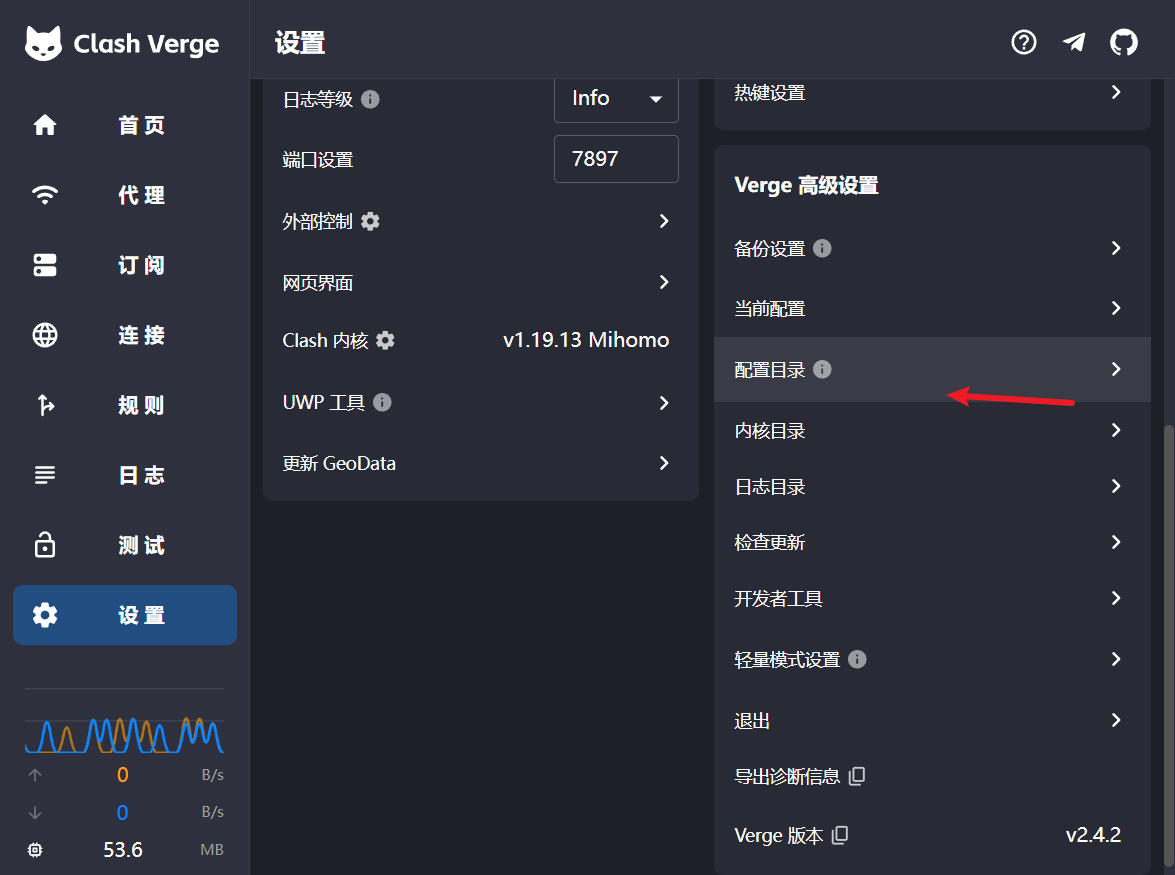
Path: C:\Users\Username\AppData\Roaming\io.github.clash-verge-rev.clash-verge-rev\profiles
Method 2
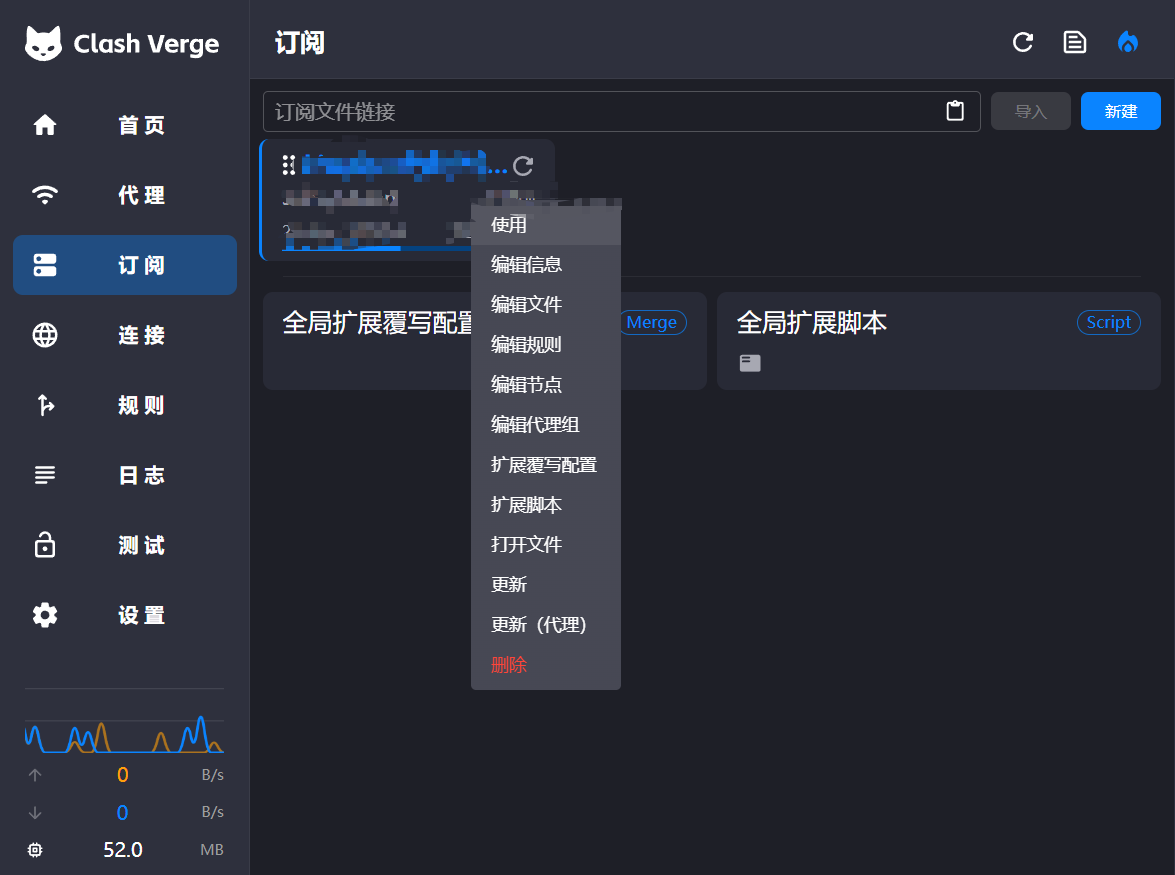
- Attribution: Retain the original author's signature and code source information in the original and derivative code.
- Preserve License: Retain the Apache 2.0 license file in the original and derivative code.
- Attribution: Give appropriate credit, provide a link to the license, and indicate if changes were made.
- NonCommercial: You may not use the material for commercial purposes. For commercial use, please contact the author.
- ShareAlike: If you remix, transform, or build upon the material, you must distribute your contributions under the same license as the original.